If you have ordered a personal signing certificate and it has been delivered and installed into Firefox, you can save it for use in CopiaFacts as follows:
1. Go to Tools / Options / Privacy & Security / Certificates / View Certificates:
Select the certificate you want to export:
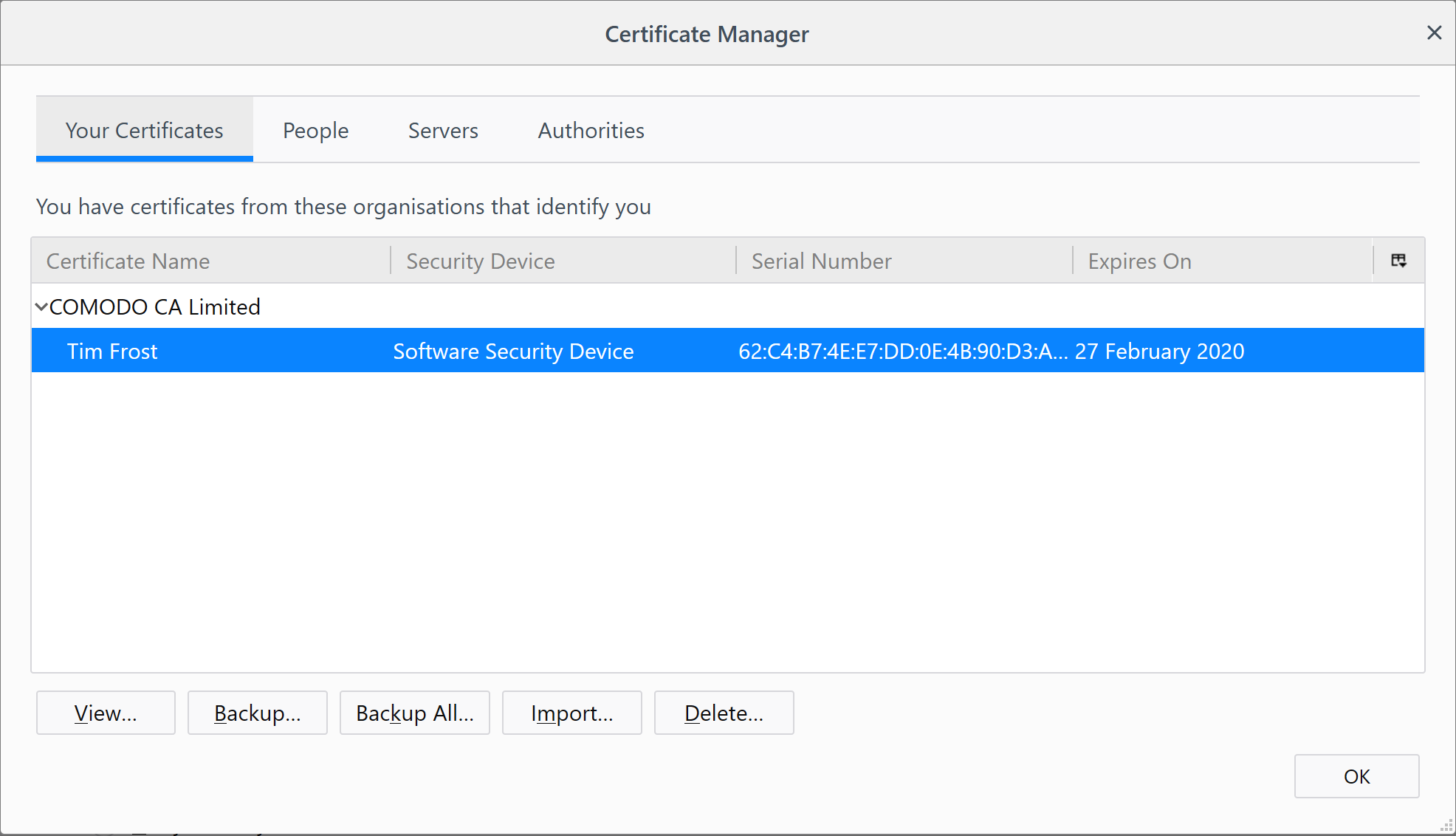
Click on Backup to save your certificate for use in CopiaFacts (it is normal for the description to show 'software security device').
3. Save your certificate in the FAXFACTS\CERTIFICATES folder:
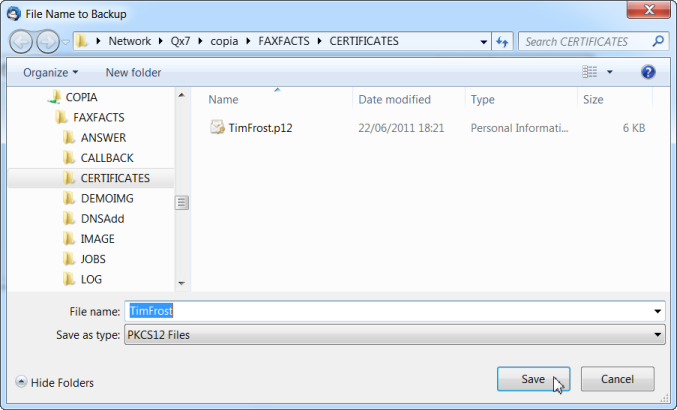
Select the PKCS12 format (extension .P12)
4. Enter the passphrase to be saved with the certificate:
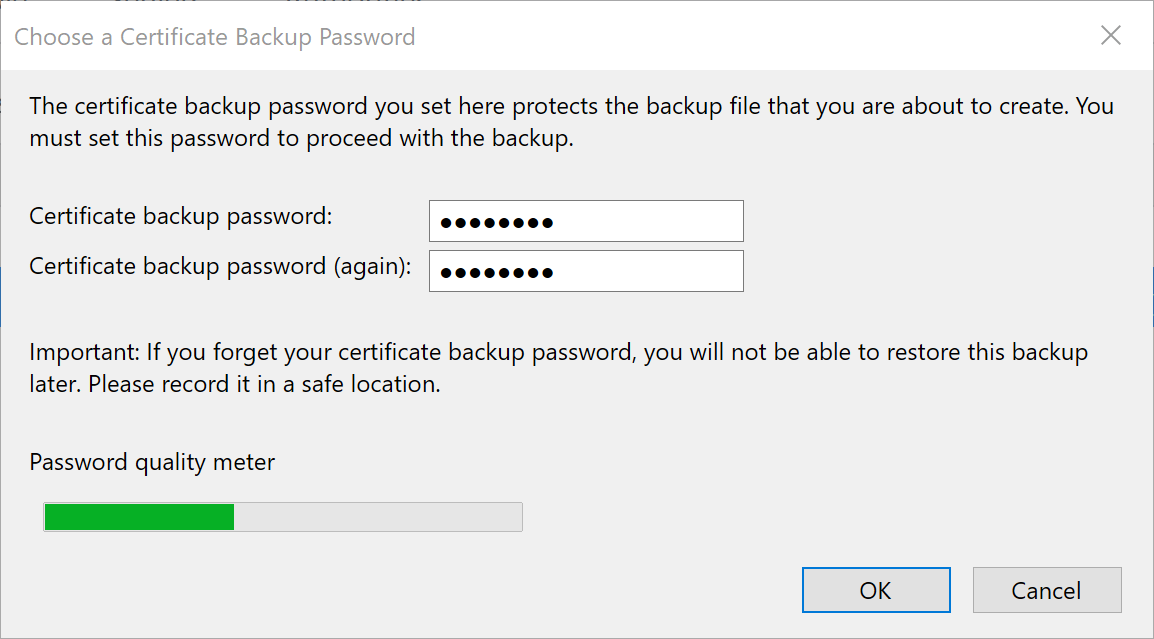
The certificate is now ready to be used in CopiaFacts to sign outgoing e-mail from you or to decrypt incoming e-mail addressed to you.
