If you already have other people's certificates in Thunderbird, you can save them for use in CopiaFacts as follows:
1. Use the Tools / Options / Certificates menu to access Thunderbird's certificate store:
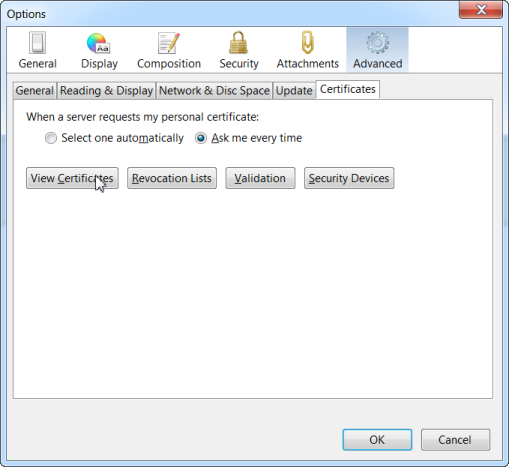
Click on View Certificates to view the saved certificates.
2. Select the person whose certificate is to be stored:
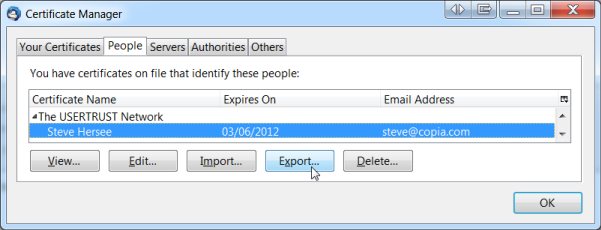
Click on Export to save the certificate.
3. Save your certificate in the FAXFACTS\CERTIFICATES folder:
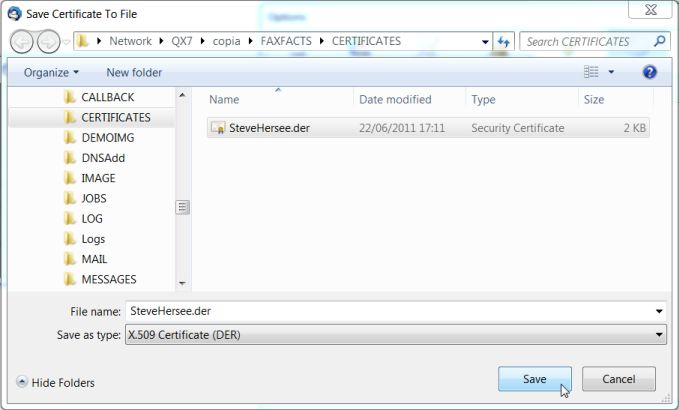
Select the X.509 Certificate format (extension .DER). No password is needed because this will be a public key file.
The certificate is now ready to be used in CopiaFacts to encrypt outgoing e-mail to the selected recipient.
