Channel Activity Display
CALLMON displays statistics collected by one or more COPIAFACTS engine instances. Over 30 different line bar-charts to be displayed, showing numbers, times and rates for the main channel functions:
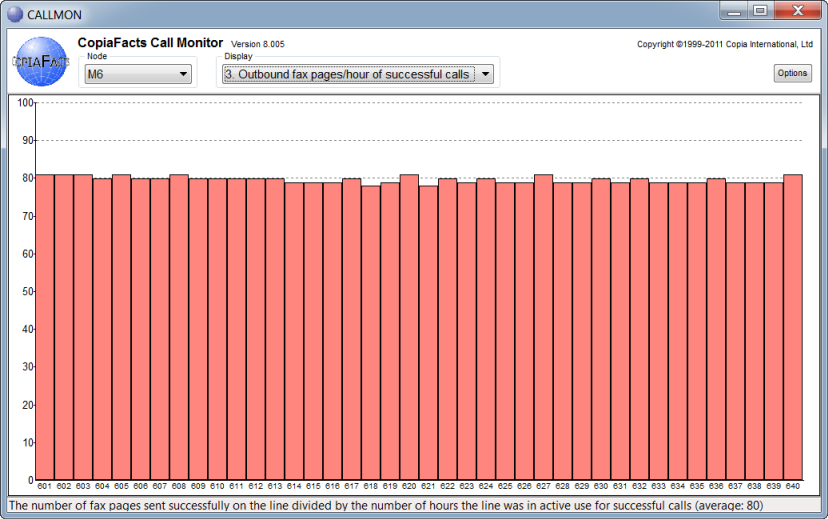
The bars are color-coded to match the colors in the COPIAFACTS channel status table. Currently statistics are collected only from the COPIAFACTS program.
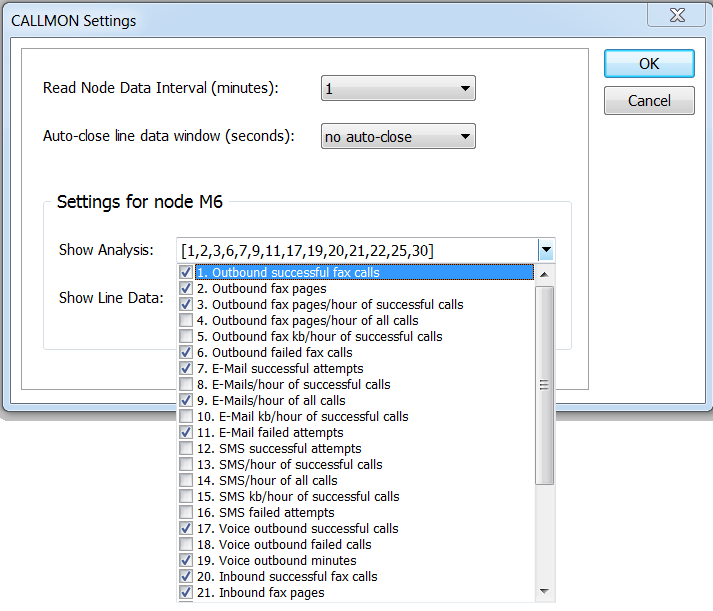
The Options button displays a settings screen where you can customize the analyzes which are to be available for each node. This allows you to select more easily the analyzes which are appropriate for either inbound, outbound, e-mail or other COPIAFACTS nodes:
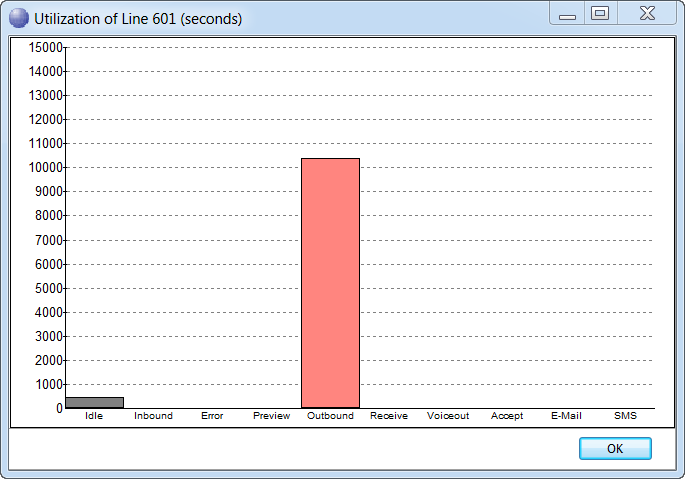
Clicking on any bar (or empty bar space) in the main display window opens another window which shows a summary of the time spent by a specific channel. Clicking on the left axis in the main display window shows the same information aggregated over all channels in the node. The columns displayed for each node can also be selected from the settings screen:
You should note that the displays are intended to give simple information about the channel utilization, not accounting data: they are statistics. In particular, you should note the following:
•If COPIAFACTS is not terminated using a controlled shutdown, some recent data may be lost.
•The 'rate' calculations in particular are designed for larger systems: if you only send two e-mails in an analysis period, the 'rate per hour' is somewhat meaningless.
•The frequency of statistics writing is controlled by the "Statistics V3" setting on the COPIAFACTS Run-Time Options tab. The default value is 5 (minutes). Setting this value to 0 suppresses statistics collection.
•Time data is collected in milliseconds in the engine, but recorded to the nearest second in the .STATS files. So some data values for items such as idle time and e-mail time may never appear in the statistics (if they add up to less than 500ms over the period).
•For performance reasons, the displays are not continuously updated: changes in work patterns, or clearing values, may not show up for some minutes.
