FaxFacts Mail Merge to Fax (FFMERGE) revolutionizes the mail-merge to fax process by initiating mail merge broadcasts on multiple phone lines from a PC. It can also be used for fax-enabling applications with a minimum of effort. All that is needed to send a document by fax or e-mail is to add one text line in the special FFMERGE font at the top of your document:
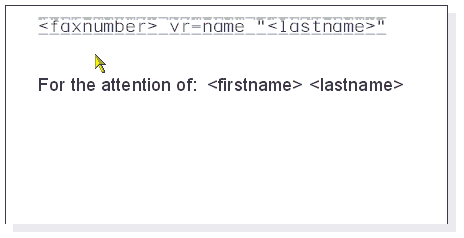
When printed to the FFMERGE print driver, the page above will automatically be sent to the fax number 6307788848. Of course, the number could equally well be inserted as a merge field and an entire merge operation could then be sent each to different number.
If you have installed the FFMERGE option, sending a single document via FFMERGE is simple:
•Open Wordpad or any Windows word processor application
•At the top of the page, above any non-white element, select 12-point FFMERGE font from the font menu and enter a fax number.
•Create the remainder of your document.
•Print to the FFMERGE printer. No pop-ups will appear and the document will be sent to the fax number.
The same principle can also be applied to send a mail merge, but in this case the number would be picked from a data source, and then printed to FFMERGE in exactly the same way that you would mail merge to a printer to create separate letters:
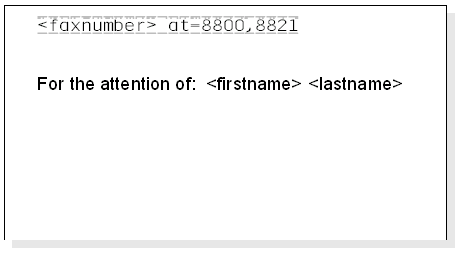
The example above also uses an AT= construct to attach documents from the image catalog with each fax.
FFMERGE can be used in many different types of application. New in CopiaFacts version 8 is the ability to set up different sets of FFMERGE settings and pick which one is to be used just by adding a T= task selector on the command line.
To learn more about the extensive capabilities of Mail Merge to Fax, please read the FFMERGE topics in this manual.
