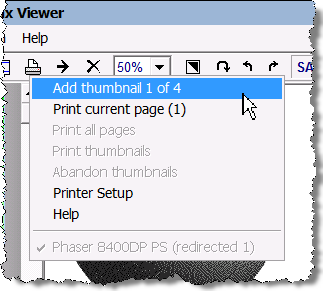
This option transfers the currently displayed image to a printed page. When working in a zoom ratio other than 1/1, the menu line shows the sequential image number for the next image to be placed on the page, and the total number of images which will fit on the page.
When you add an image which completes a page, the page will print out automatically after you have added the image.
If you change image size when there are stored thumbnails waiting to print, this menu item becomes unavailable and you cannot add more images to the page until you revert to the original zoom ratio. You cannot mix image sizes on a page.
See also:
